How to Spot Fake Fire Kirin Login Pages
A familiar logo and a polished sign-in form do not prove that a website is trustworthy. Fake Fire Kirin login pages can imitate a real service to collect usernames, passwords or other sensitive information.
The safest starting point is a login address you have independently verified with your account provider. This guide explains what to inspect before signing in and what to do if you used a suspicious page. It does not identify any particular website as fraudulent.
What Is a Fake Fire Kirin Login Page?
A fake login page is a website designed to make you believe you are accessing your account when you are actually submitting information to someone else. Copying a page’s colors, buttons and branding can make the imitation look convincing.
A suspicious link might arrive through a message, advertisement, social media comment or a supposed account-support conversation. Judge the destination and the request, rather than the appearance alone.
Check the Website Address Before Entering Your Password
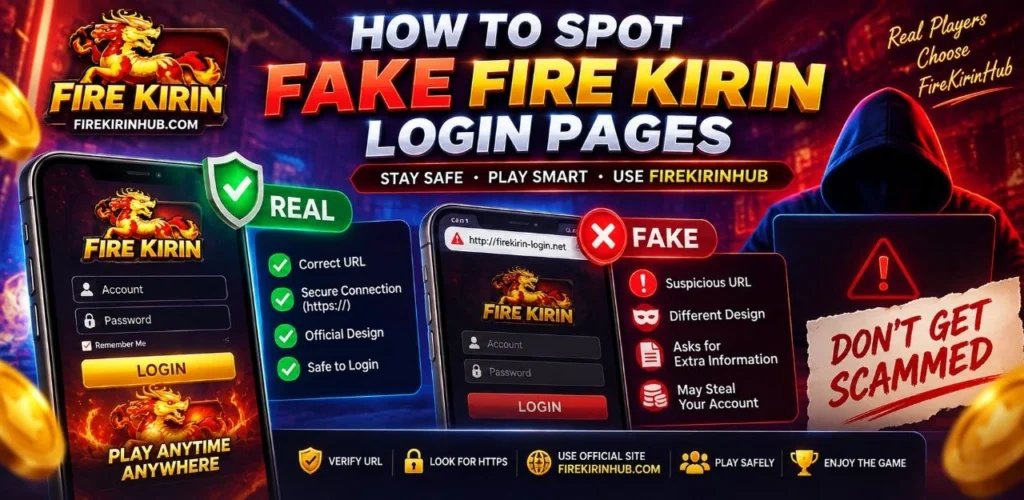
Read the browser’s address bar carefully. Watch for misspellings, added words and a domain ending that differs from the address you previously verified. The words “Fire Kirin” somewhere in a URL do not establish who operates the website.
Illustrative example: In firekirin.example.com, the controlling domain
is example.com. “firekirin” is a subdomain label;
it does not prove an association with the platform.
This is an example address, not a login recommendation.
On a computer, hovering over a link can reveal its destination. On mobile, your browser may offer a link preview when you press and hold. If the destination is unclear, avoid the link and use an independently verified address.
Does HTTPS Mean a Login Page Is Genuine?
No. HTTPS encrypts the connection to a website, but it does not establish that the operator is the organization you intended to contact. A phishing page can also use HTTPS.
Warning Signs That Deserve a Closer Look
Unexpected Urgency
Messages threatening immediate account closure or demanding urgent verification should be checked through a contact channel you already trust.
Requests for Unrelated Credentials
A game login should not require your email-account password, banking password or cryptocurrency recovery phrase. Stop if a form requests information unrelated to the account you are accessing.
Instructions to Share Security Codes
Do not send one-time login codes to another person. Only enter a code into a verified service when you initiated the relevant action.
Unexpected Downloads or Browser Warnings
Treat a supposed login page that asks you to install unfamiliar software or bypass a browser security warning as a reason to stop and verify the request.
Branding Used as Proof
A logo, “official” label, testimonial or search advertisement is not enough to authenticate a page. Equally, a typing mistake alone does not prove fraud. Consider the address, source and requested action together.
A Safer Fire Kirin Login Checklist
- Confirm the login address through a previously verified account-provider contact.
- Bookmark that address after verification and review any unexpected change before signing in.
- Use a unique password instead of reusing your email or payment-account password.
- Enable additional account verification if your provider offers it.
- Keep your browser and device software updated.
The Federal Trade Commission’s phishing guidance recommends checking suspicious messages through contact details you know are genuine rather than those supplied in the message.
What to Do If You Entered Details on a Suspicious Page
- Stop using the page. Do not submit more information or approve further prompts.
- Change the exposed password through a verified route. If you reused it elsewhere, change it on those accounts too.
- Contact your account provider. Ask about securing the account and ending unfamiliar sessions, where that option is available.
- Review account activity. Record unfamiliar changes and preserve relevant screenshots.
- Contact your payment provider if financial details were exposed. Use its established app or contact information.
If you downloaded suspicious software, update your security software and run a scan. U.S. users can report suspected fraud through ReportFraud.ftc.gov.
Frequently Asked Questions
Can a fake page look exactly like a real login page?
Yes. Visual design can be copied. Verify the address and the route you used to reach it before entering credentials.
Is a login link safe because it appeared in search results?
Search placement alone does not verify the website’s operator. Compare the destination with the address independently confirmed for your account.
What if a support message gives me a new login address?
Confirm the change using a previously established contact channel. Do not rely solely on the new message or its links.
Is FireKirinHub the official Fire Kirin developer?
No. FireKirinHub is an independent information and support website, not the official developer or owner of Fire Kirin.
Need Help Verifying Account Instructions?
For accounts handled through FireKirinHub, visit our support page to clarify account-access instructions. Never include your password or one-time security codes in a support message.